

Mauritius E-Invoicing Solutions MRA Tax Invoice Software

Microsoft Power Automate for Mauritius E-Invoicing
Start Compliance Setup Digital Documents Across Connected Systems
Automate invoice-related processes across connected applications while aligning approvals, exceptions, and Mauritius fiscal interactions through Microsoft Power Automate.
Powerful features

Microsoft Power Automate Fiscal Automation Framework

Affordable pricing for SMEs

Simple, Transparent Pricing

Starting from as low as

RM 20

Microsoft Power Automate Workflow Orchestration

  • Captures Business Events: Starts automated invoice actions when connected records meet configured workflow conditions and processing requirements.
  • Validates Source Information: Checks selected fields and business rules before fiscal information enters downstream processing workflows.
  • Applies Routing Logic: Directs transactions toward appropriate workflow paths based on configured business conditions and processing rules.
  • Requests Human Approval: Sends exception cases to assigned reviewers before subsequent workflow actions continue through defined approval stages.
  • Updates Connected Records: Writes processing results back into supported business applications for continued visibility and financial record tracking.
  • Triggers Follow-Up Actions: Initiates notifications or downstream tasks after defined fiscal workflow events occur within connected business processes.

Microsoft Power Automate Across Connected Systems

Microsoft Power Automate can coordinate actions between business applications, Dataverse, notifications, approvals, and other connected services, allowing invoice processes to operate across existing systems without requiring every transaction to originate inside one application.

e invoicing in sap, einvoicing in sap einvoicing sap
sap e invoicing for compliance sap einvoicing sap einvoice

Microsoft Power Automate Across Finance Operations

  • Automated Invoice Intake: Starts invoice workflows from connected records without requiring repetitive manual initiation by finance users.
  • Intelligent Exception Handling: Separates unusual transactions for review while standard invoice workflows continue through configured automation processes.
  • Structured Approval Coordination: Sends selected invoice cases to responsible reviewers before downstream fiscal actions continue through configured workflows.
  • Connected Application Synchronization: Updates connected applications with workflow outcomes so business records remain aligned after processing activities.
  • Automated Notification Management: Alerts relevant users when transactions require intervention, review, correction, or additional information promptly.
  • Continuous Process Monitoring: Gives teams clearer visibility into automated invoice activities and outstanding workflow actions across operations.
Powerful features

Microsoft Power Automate Workflow Governance

Built for UAE Businesses Using QuickBooks

Built for Microsoft Power Automate Business Connections in Mauritius

Microsoft Power Automate can support finance, operations, sales, procurement, administration, and technology teams by orchestrating invoice-related actions across their existing applications and business processes.

Automate Mauritius Fiscal Workflows

Start Your Microsoft Power Automate Integration

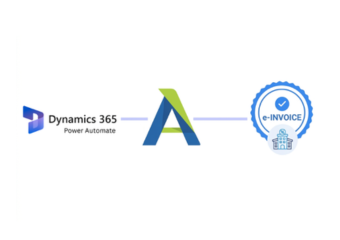
Connect Microsoft Power Automate with Mauritius fiscal invoicing through Advintek.

Automate your fiscal workflow with Advintek.

Ready e-Invoice System

0 % MRA

Frequently Asked Questions Power Automate e-Invoicing in Mauritius

Can Microsoft Power Automate trigger fiscal workflows from different business applications?

Microsoft Power Automate can start cloud flows when connected systems generate relevant events or changes. Advintek can use those triggers to initiate invoice-related processing, gather required information, apply workflow conditions, and route the transaction toward the Mauritius fiscal process. This approach allows businesses to coordinate multiple applications without making Microsoft Power Automate the system of record.

Microsoft Power Automate supports approval actions that can introduce human review into an automated flow. Advintek can route selected invoice cases to designated users when configured conditions require authorization. Approval responses can then determine whether subsequent workflow actions continue, helping organizations separate routine processing from transactions requiring additional business oversight consistently across workflows.

Yes. Microsoft Power Automate can apply conditions that identify transactions requiring additional attention and initiate different actions for those cases. Advintek can configure exception paths around missing information, rejected approvals, or other defined business conditions, allowing users to investigate the source transaction before the fiscal workflow proceeds with the appropriate invoice information.

Microsoft Power Automate can work with connected services and Dataverse to create or update records during workflow execution. Advintek can use these capabilities to associate fiscal processing outcomes with relevant business information, allowing connected applications to receive status or response data. This supports continued visibility after an invoice workflow has completed its fiscal interaction.

Microsoft Power Automate can trigger notifications when defined workflow conditions occur, such as an approval requirement, processing exception, or completed action. Advintek can use these automation capabilities to alert responsible users and initiate follow-up activities around fiscal invoice workflows. This helps teams respond to exceptions without repeatedly checking separate systems for updates.