

Microsoft Dynamics 365 Commerce Compliance Controls for Mauritius
Microsoft Dynamics 365 Commerce Transactions Through Fiscal Processing
- Collect Channel Data: Gather retail, online, and call center transactions for structured fiscal document preparation across connected sales channels.
- Review Transaction Details: Check products, customers, taxes, discounts, and order information before document creation carefully against configured processing requirements.
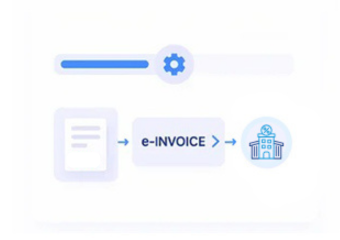
- Construct Fiscal Documents: Convert validated Commerce records into structured electronic invoice data for Mauritius processing and fiscalisation requirements.
- Route Submission Data: Send prepared fiscal information through Advintek toward the connected Mauritius fiscal environment for compliance processing.
- Associate Fiscal Responses: Link returned fiscal references with originating orders, invoices, and channel transactions for reconciliation and accounting review.
- Update Commerce Records: Reflect fiscal outcomes alongside source transactions for financial review and operational traceability across connected business processes.
Microsoft Dynamics 365 Commerce Integration for Retail Operations
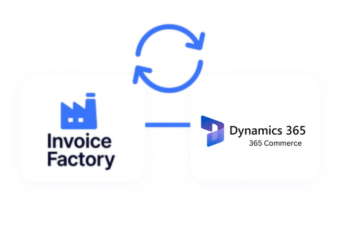
Microsoft Dynamics 365 Commerce connects retail, online, and call center records, while Advintek adds Mauritius fiscal connectivity around established transaction workflows.
- Connects retail sales with fiscal invoices
- Links online orders to fiscal documents
- Associates returns with originating transactions
- Aligns channel records for accounting review
Financial Benefits Across Microsoft Dynamics 365 Commerce Channels
- Channel Reconciliation Support: Compare fiscal documents with retail and online transactions for clearer financial reconciliation across connected sales channels.
- Catalogue Data Continuity: Preserve product, variant, category, and tax information throughout connected invoicing processes for accurate fiscal document preparation.
- Customer Order Context: Maintain relationships between customer profiles, orders, invoices, and fiscal records across multiple connected sales channels.
- Return Transaction Tracking: Connect returns and adjustments with original sales documents for clearer transaction history and accounting review.
- Pricing Detail Preservation: Retain applicable pricing and discount context when preparing fiscal invoice information for downstream compliance processing.
- Financial Record Coordination: Align fiscal invoice data with Microsoft Dynamics 365 Commerce financial records for organised accounting administration and reconciliation activities.
Microsoft Dynamics 365 Commerce Oversight for Fiscal Records
Statement Data Visibility
Review fiscal invoice activity alongside Commerce statements and transaction records.
Channel Exception Review:
Identify unusual fiscal outcomes across connected retail and online transaction flows.
Document Relationship Mapping
Trace invoices back to source orders, customers, and channel records for easier financial review.
Microsoft Dynamics 365 Commerce Businesses Across Mauritius
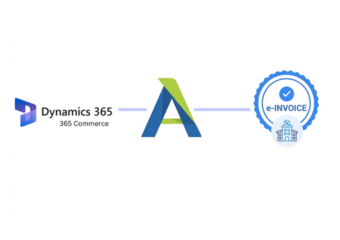
Microsoft Dynamics 365 Commerce helps Mauritius retailers manage products, customers, orders, pricing, fulfilment, returns, and financial records. Advintek connects Commerce transactions with fiscal invoicing while preserving established workflows.
- Retail teams managing unified Commerce channels
- Online teams coordinating customer order records
- Finance teams reviewing channel accounting information
- Commerce administrators monitoring fiscal document activity
Improve Your Commerce Invoice Workflow
Connect Commerce transactions with Mauritius fiscal invoicing through Advintek integration.
Start your Commerce fiscal integration today.
Ready e-Invoice System
Frequently Asked Questions Microsoft Dynamics e-Invoicing Mauritius
How can Microsoft Dynamics 365 Commerce channel transactions support Mauritius e-Invoicing?
Dynamics 365 Commerce can provide transaction information from retail, online, and call center channels for fiscal invoice preparation. Advintek connects relevant sales records with Mauritius fiscal workflows while preserving product, customer, order, discount, and channel context. This allows businesses to associate fiscal documents with originating Commerce activity instead of maintaining separate invoice datasets.
Which Microsoft Dynamics 365 Commerce product records can support fiscal invoice creation?
Microsoft Dynamics 365 Commerce product information can provide details such as products, variants, categories, and applicable tax classifications for invoice preparation. Advintek maps relevant information into the connected fiscal structure, helping retailers maintain consistency between merchandise sold and invoice lines. Product context remains associated with the originating Microsoft Dynamics 365 Commerce transaction for accounting review and operational traceability.
How are Microsoft Dynamics 365 Commerce returns connected with fiscal documents?
Returns can remain associated with their original Microsoft Dynamics 365 Commerce transactions when relevant information enters the fiscal integration workflow. Advintek can connect return details with originating orders and invoice records, helping finance teams understand adjustments within their original sales context. This supports clearer review of returned merchandise, revised documents, and related accounting information.
Can Microsoft Dynamics 365 Commerce pricing and discounts remain part of invoice data?
Relevant pricing and discount information can remain connected to Microsoft Dynamics 365 Commerce transaction records during invoice preparation. Advintek can map appropriate transaction details into the fiscal document structure, preserving the context behind the invoiced value. This helps finance teams review promotional adjustments, channel pricing, and customer order information alongside related fiscal records.
How does Advintek connect Microsoft Dynamics 365 Commerce statements with fiscal records?
Microsoft Dynamics 365 Commerce statements consolidate transaction activity for financial posting, while Advintek can connect applicable invoice information with the underlying channel records. This creates a clearer relationship between fiscal documents, Microsoft Dynamics 365 Commerce transactions, and accounting review. Finance teams can therefore investigate invoice activity using established Commerce records instead of separating fiscal information from channel financial processes.