

Compliance Built Around Desktop Accounting Workflows
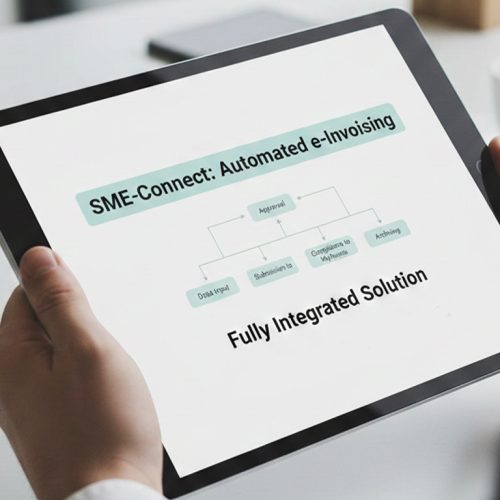
The QuickBooks Desktop Invoice Journey with Advintek
- Invoice Data Extraction: Relevant invoice information is collected from QuickBooks Desktop for downstream compliance processing and structured preparation.
- Accounting Field Mapping: Advintek organizes accounting information according to the configured data requirements for Mauritius e-invoicing workflows.
- Invoice Record Verification: Invoice records undergo validation checks to identify missing or inconsistent information before further processing.
- Compliance Document Formatting: Verified transaction information is prepared in structured form for the connected fiscalisation environment.
- Fiscalisation Response Processing: Fiscalisation responses are captured and associated with the originating QuickBooks Desktop transaction for reference.
- Financial Accounting Reconciliation: Processed information remains linked with source records to support reconciliation and financial administration.
How Advintek Processes QuickBooks Desktop Data
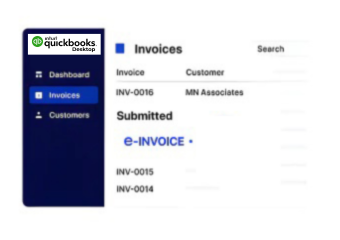
Advintek adds a compliance-focused integration layer around QuickBooks Desktop, allowing established accounting operations to connect with Mauritius e-invoicing processes.
- Extracts relevant QuickBooks Desktop invoice information
- Maps accounting fields for compliance processing
- Checks transaction records before submission
- Connects fiscalisation results with source records
Advintek Benefits Across QuickBooks Desktop Workflows
- Lower Manual Handling: Automated processing reduces repetitive preparation activities when accounting records enter Mauritius compliance workflows more efficiently.
- Reliable Data Mapping: Configured field relationships help preserve relevant information between QuickBooks Desktop and connected fiscalisation processes more accurately.
- Connected Transaction History: Accounting records remain associated with compliance results, creating clearer context for financial reconciliation and review.
- Focused Exception Review: Processing feedback helps teams investigate specific invoice issues without manually checking every transaction individually.
- Flexible Desktop Operations: Finance teams can continue using established QuickBooks Desktop accounting routines while compliance processing operates through Advintek separately.
- Organized Compliance Records: Processed invoice information remains structured for internal checks, reconciliation activities, and future reference purposes.
All-in-One Capabilities for Mauritius e-Invoicing
Invoice Reconciliation
Match QuickBooks Desktop records against processed invoice information to identify discrepancies across workflows.
Fiscalisation Oversight
Review processing outcomes and associated transaction information through organized compliance monitoring capabilities.
Exception Investigation
Trace validation issues back to relevant accounting records for targeted correction and controlled reprocessing.
Supporting QuickBooks Desktop Users in Mauritius
Businesses using QuickBooks Desktop can connect established accounting operations with Mauritius e-invoicing workflows through an integrated compliance layer.
- Continue preparing invoices within QuickBooks Desktop
- Coordinate accounting information with compliance processing
- Manage transaction records through connected workflows
- Review fiscalisation outcomes alongside accounting data
Through QuickBooks Desktop Today
Connect QuickBooks Desktop for Mauritius E-Invoicing.
Talk To Our Invoicing Specialists Today.
Ready e-Invoice System
Frequently Asked Questions QuickBooks Desktop e-Invoicing Mauritius
Does QuickBooks Desktop need an additional invoicing workflow?
The existing QuickBooks Desktop invoicing process can remain central to daily accounting operations. Advintek works as a compliance integration layer around those records, handling activities such as data preparation, validation, fiscalisation communication, response association, and transaction reconciliation instead of requiring finance teams to recreate invoices separately.
How are QuickBooks Desktop customer records used?
Customer information contained within relevant QuickBooks Desktop transactions can form part of the data passed into the compliance workflow. Advintek can map applicable customer and transaction fields according to configured requirements, helping preserve relationships between accounting records and the information used during e-invoicing processing.
Can QuickBooks Desktop support automated invoice validation?
Advintek can apply configured validation checks to invoice information originating from QuickBooks Desktop before compliance processing. These checks can identify missing, inconsistent, or unsuitable data, allowing accounting teams to address relevant source records before the transaction proceeds further through the connected fiscalisation workflow.
What happens when QuickBooks Desktop data needs correction?
If processing identifies an issue, the relevant QuickBooks Desktop transaction can be reviewed and corrected at the accounting-source level. The connected workflow can then process the updated information again, helping maintain consistency between the original accounting record, validation results, and subsequent compliance processing.
Can QuickBooks Desktop transactions be reconciled after fiscalisation?
Processed invoice information can remain associated with its originating QuickBooks Desktop transaction, supporting reconciliation after fiscalisation activity. Finance teams can compare source accounting information with processing responses and investigate discrepancies through connected records rather than maintaining unrelated compliance and accounting histories.